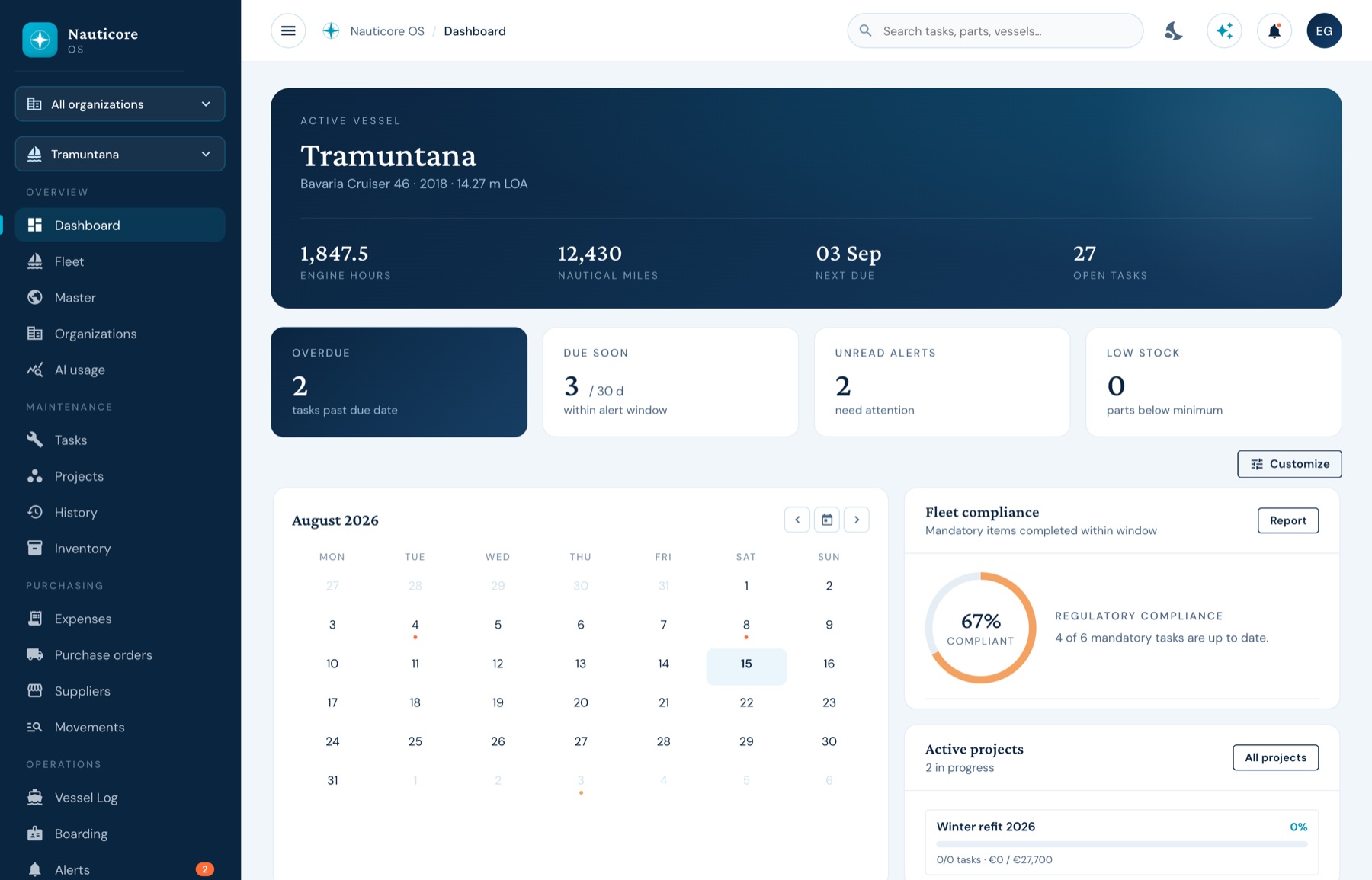
The dashboard
One vessel, at a glance
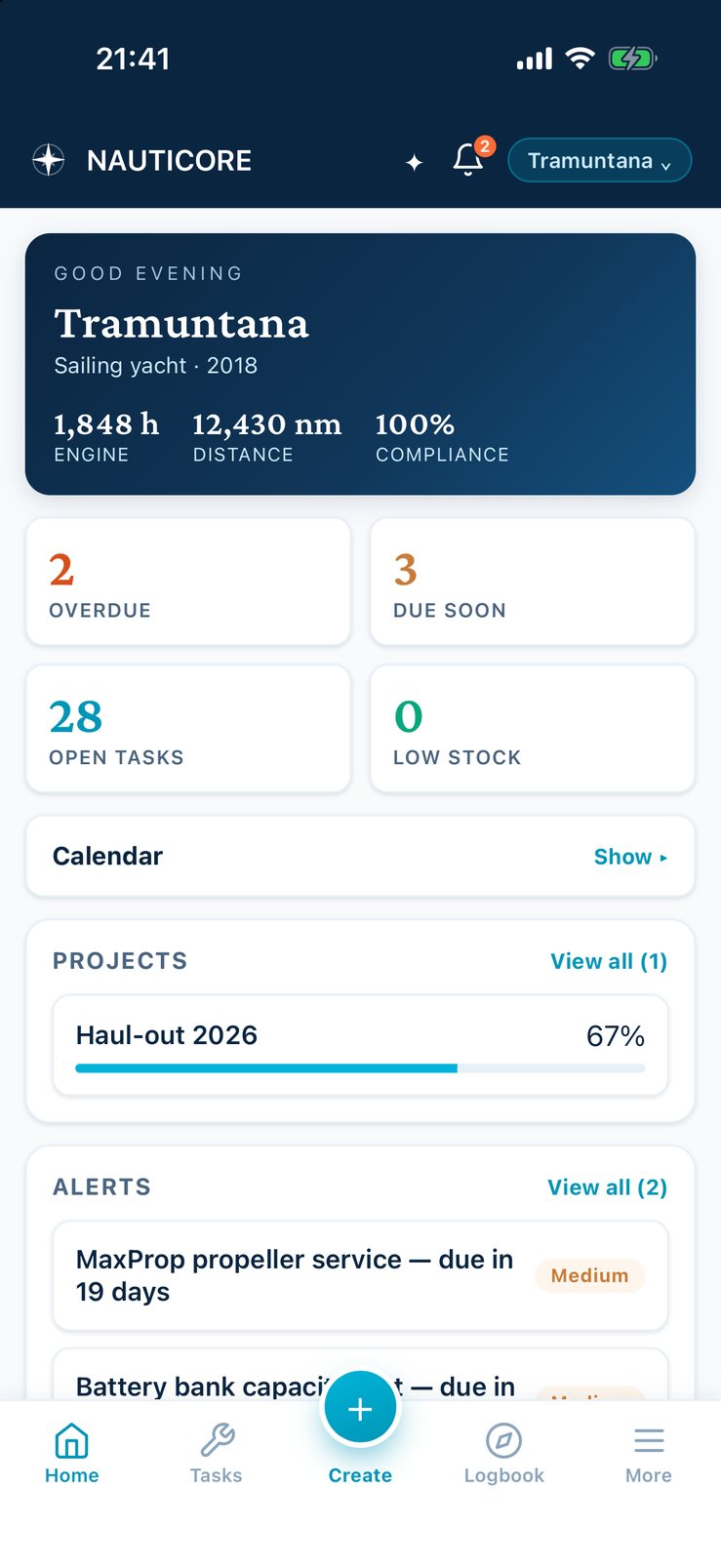
Overdue · due soon · compliance
Maintenance & compliance

Maintenance · Compliance · Spend
One record per vessel — kept the way a good captain keeps a logbook, for one hull or a managed fleet.
Palma de Mallorca 39°34′N 2°39′E
Photo: Flo Plouch

Two trades, one product
A team of working captains who have run vessels, alongside engineers who have spent years making serious multi-tenant hospitality systems talk to each other. The judgement comes from the deck; the rigour comes from the engine room of software.
The platform
The service history lives in a binder, the spend in a shoebox, and what really happened last season left with the last captain. NAUTICORE keeps the job, the part, the supplier’s invoice and the refit budget on the same page — so the boat’s work and the boat’s cost stop being two stories that disagree.
Due by date, by engine hours or by miles. Recurring services recalculate the moment one is signed off; regulatory items are flagged apart.
DiscoverInvoices, delivery notes and purchase orders on the same data as the jobs. Photograph a receipt and it fills itself in — for a person to confirm.
DiscoverA contractor on one refit sees that refit. An owner sees their boats. A manager sees the fleet. Nobody is trusted with more than the job needs.
DiscoverA native app for a phone with one bar of signal. Jobs, photos, stock and passages queue on the device and push when the signal returns.
DiscoverBrowse the platform
One vessel, at a glance
Overdue · due soon · compliance
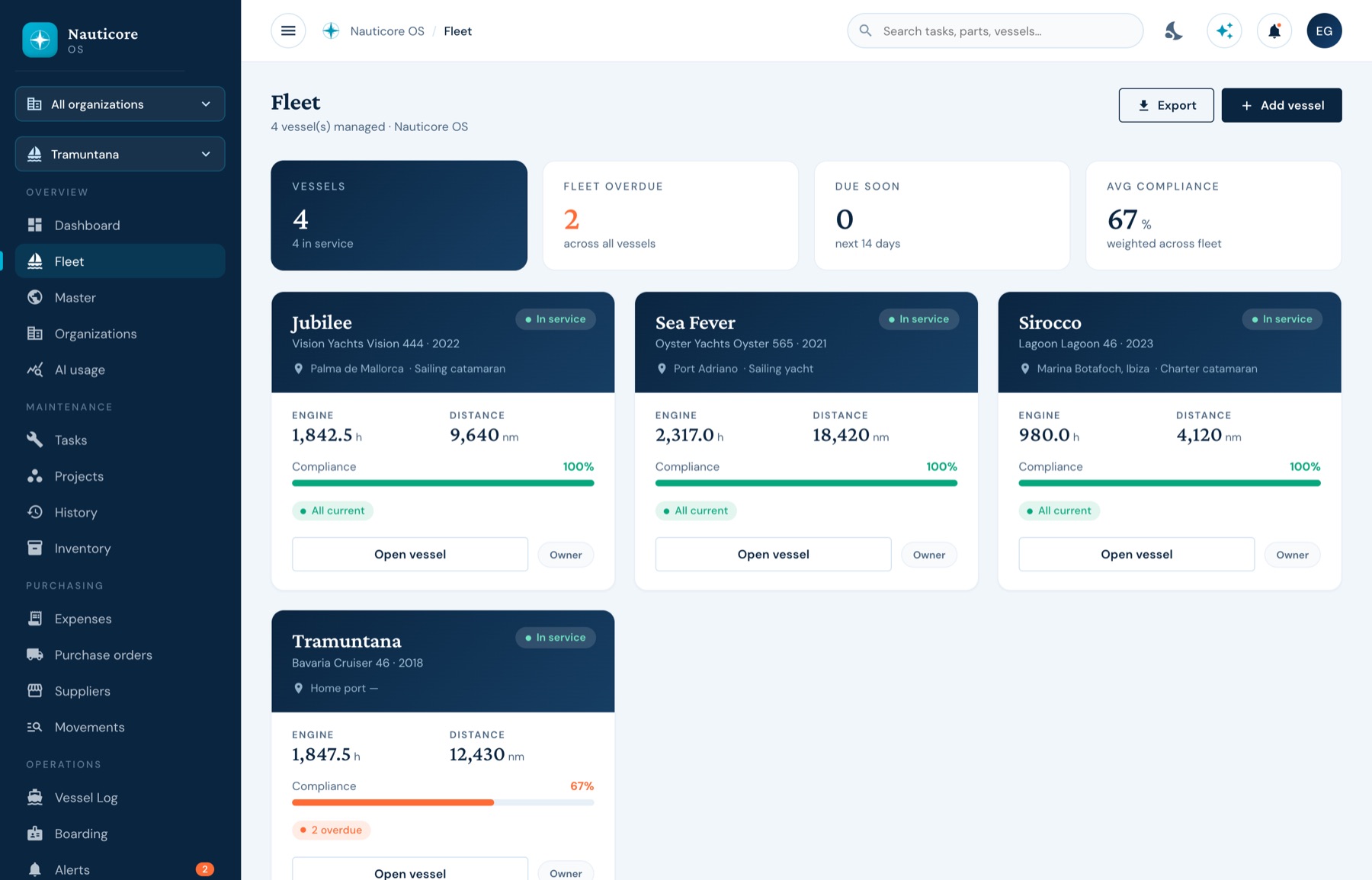
Every hull on one page
Hours · miles · open work
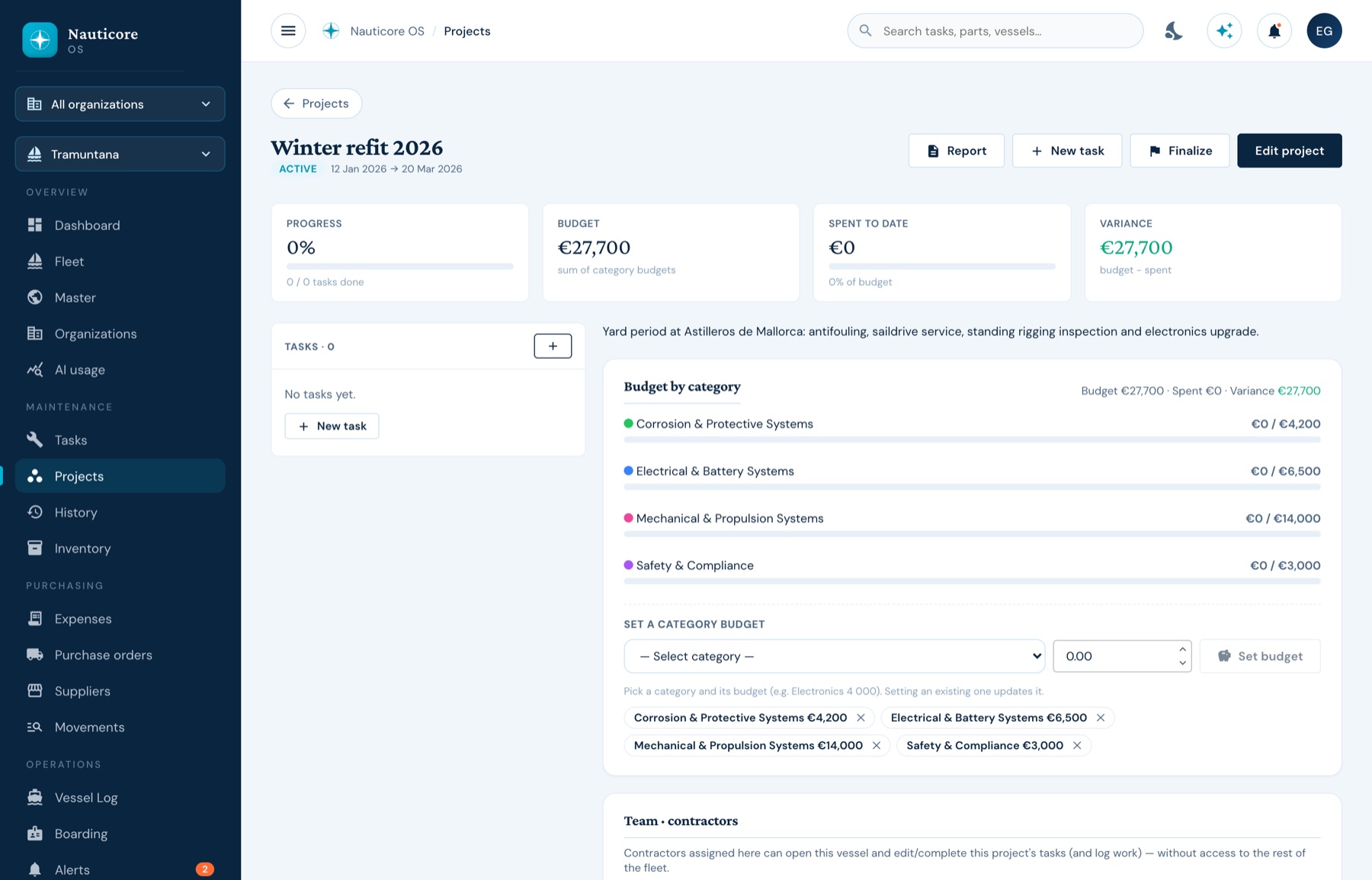
A yard period that stays on budget
Budget · spent · variance
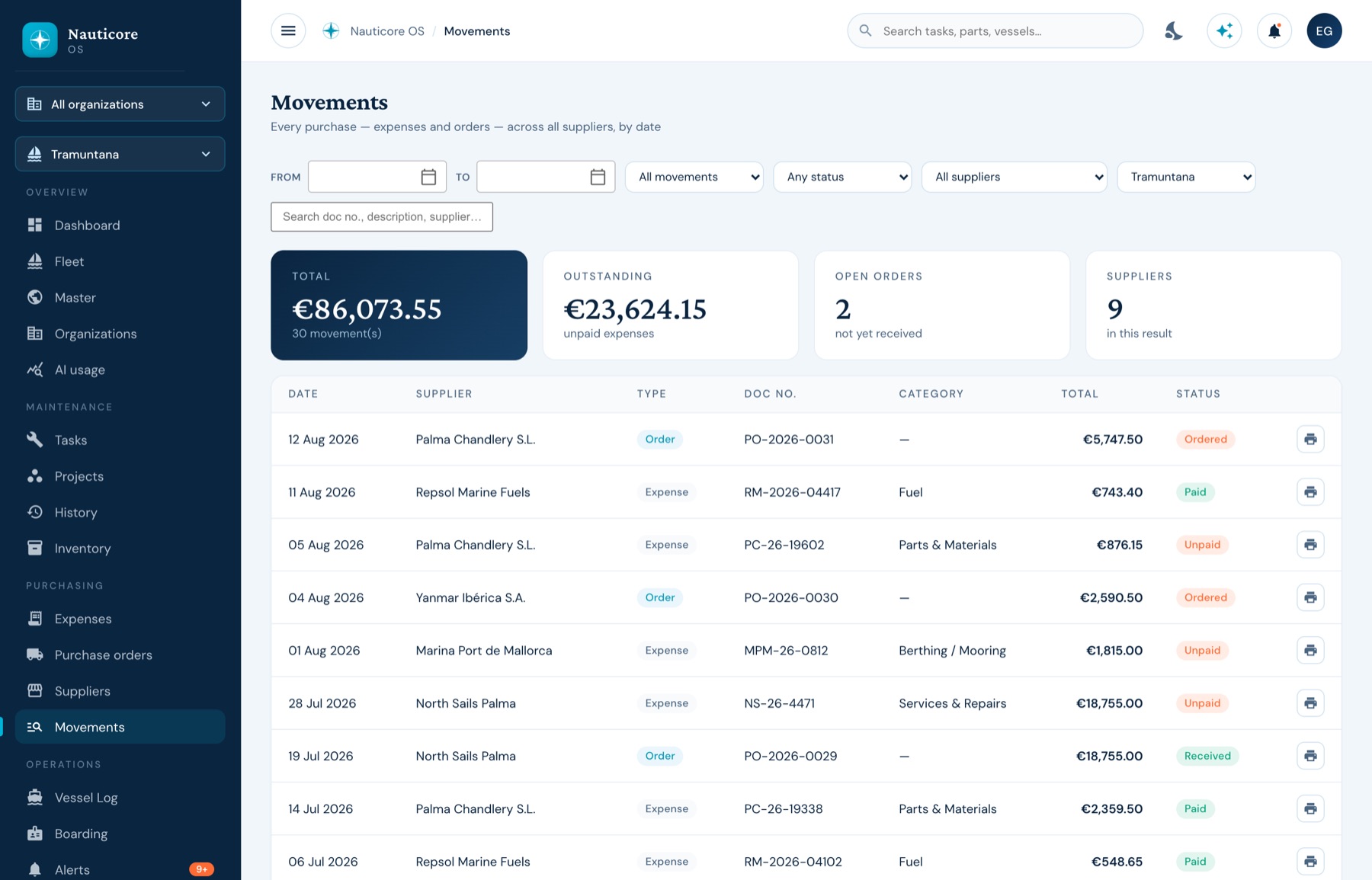
Every purchase, by date
Invoices · notes · orders
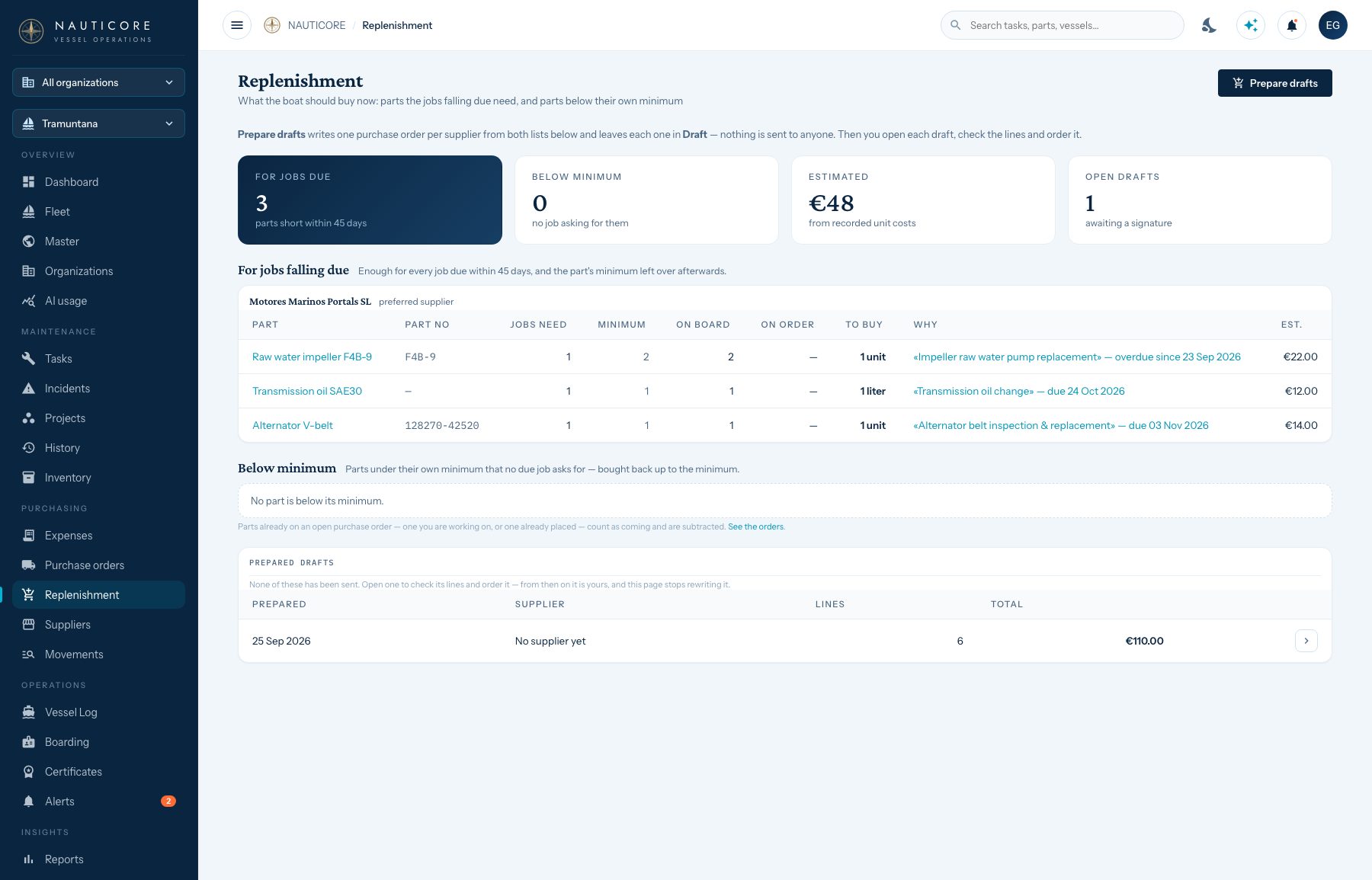
What to buy before you run out
Drafts one order per supplier
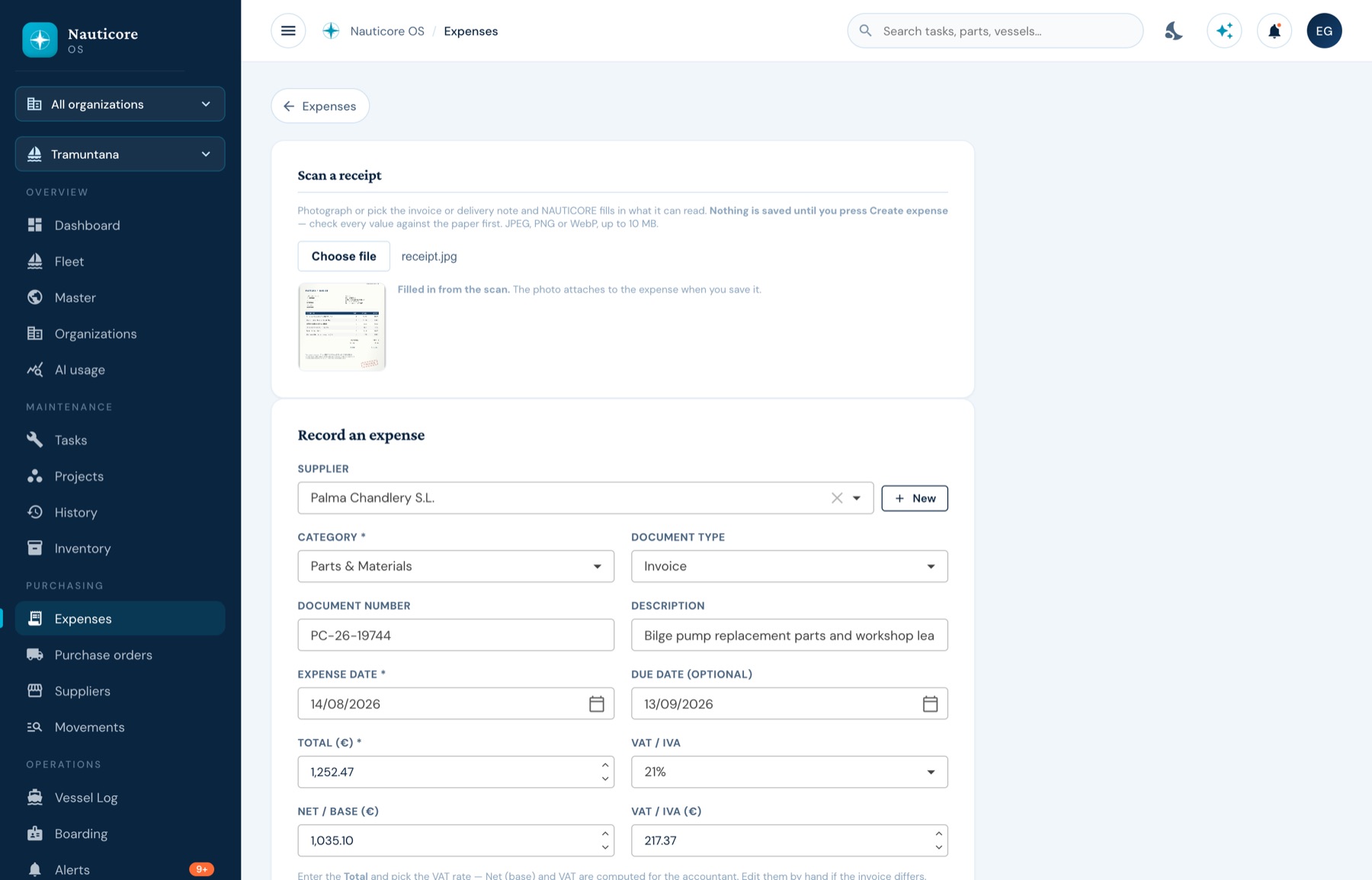
Photograph it; it fills itself in
Supplier · dates · VAT split
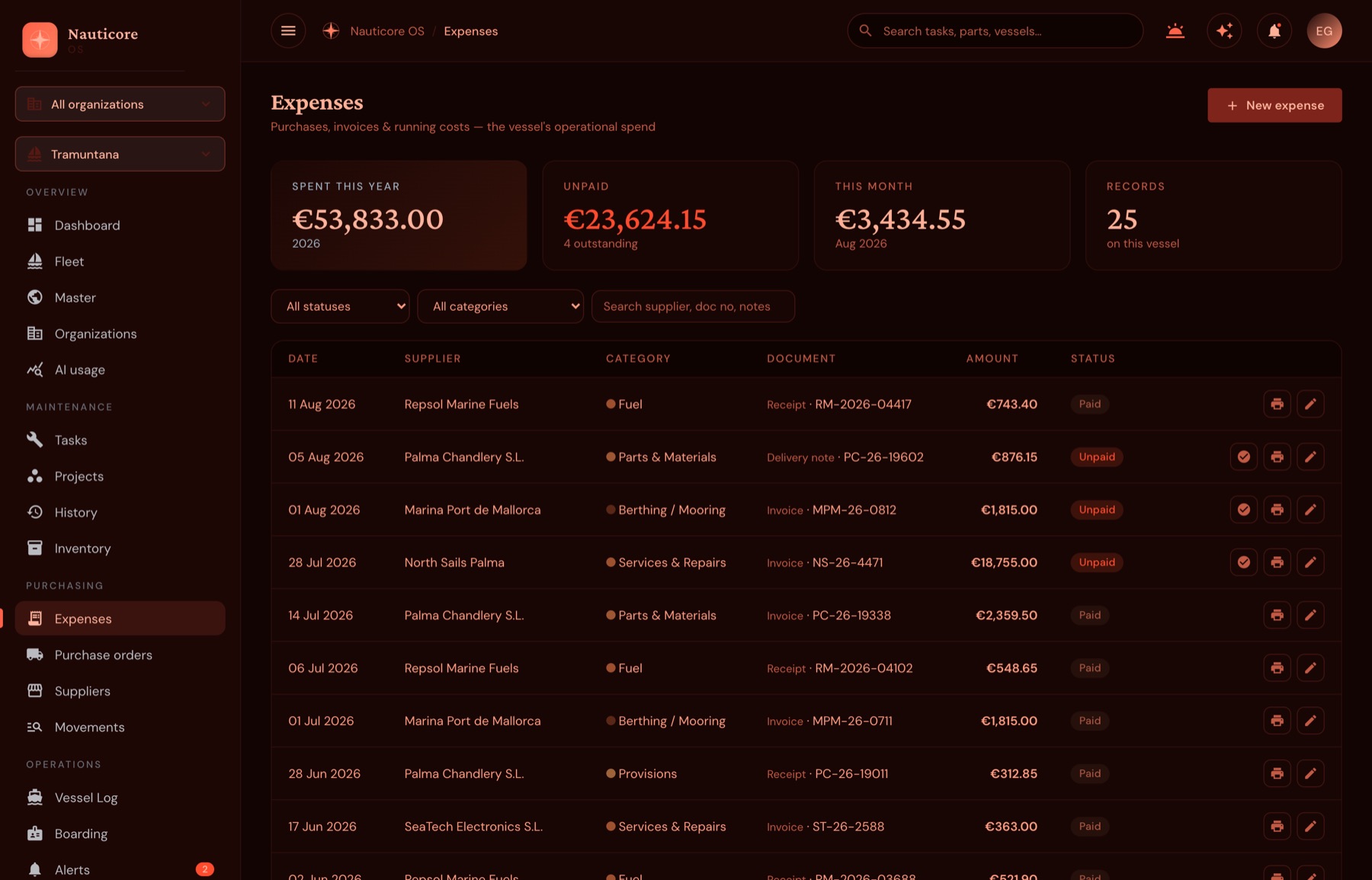
A red theme for the helm at night
Protects night vision on deck
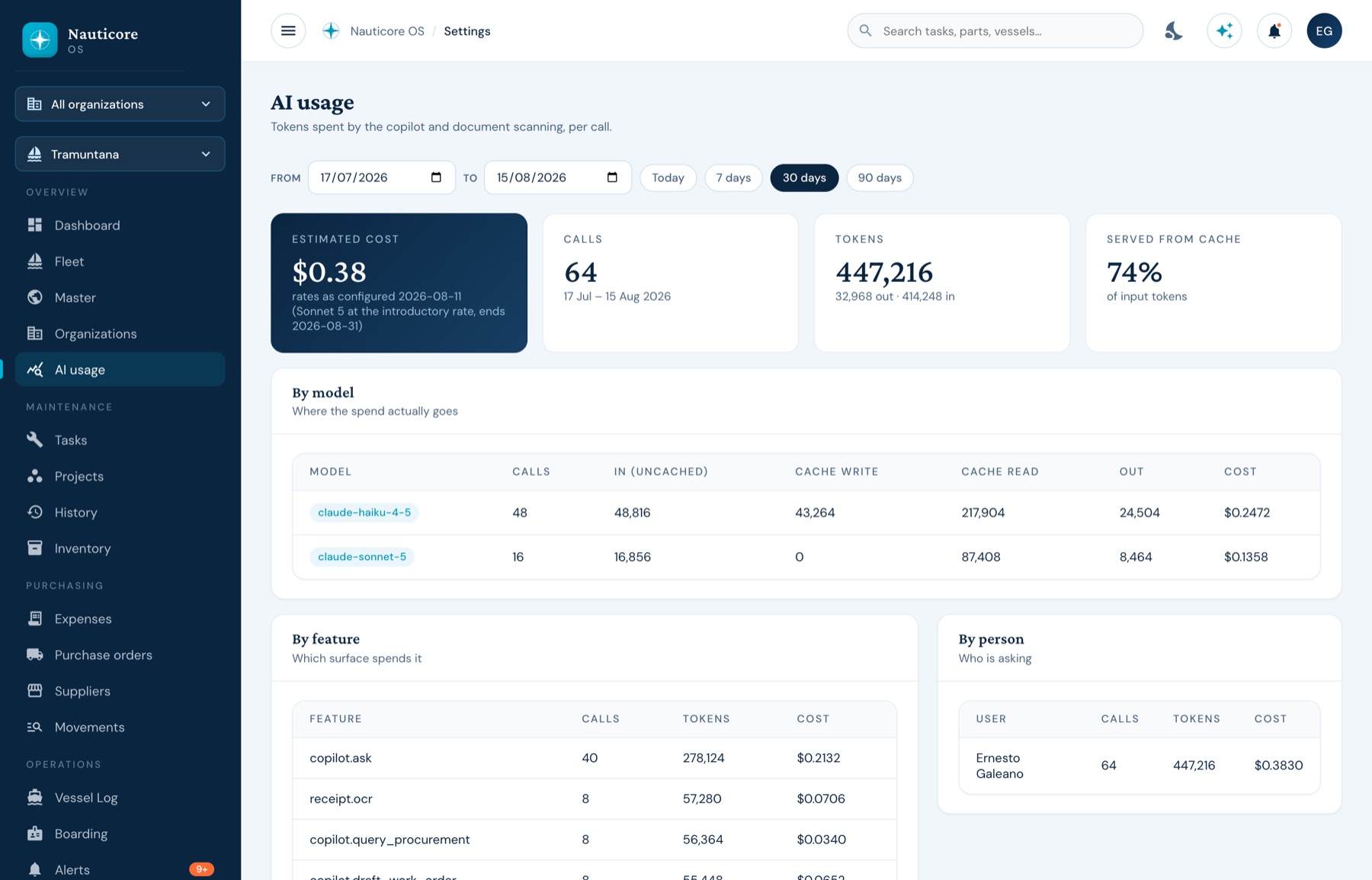
Our Nauticore Agent, knows every little detail about your vessel and assists you 24/7
Redacted exactly as the account is
The money
Suppliers, delivery notes, purchase orders and invoices live on the same data as the jobs and the parts — so “what did she cost?” is a page, not an evening.
i.
At the chandlery counter, from the phone.
ii.
Supplier, number, dates, total and VAT — as a draft you confirm.
iii.
Against the vessel, the category, and the refit it belongs to.
iv.
Delivery notes receive into inventory; project spend updates.
v.
A dated, vessel-scoped export. Many ERP already supported. No re-keying.
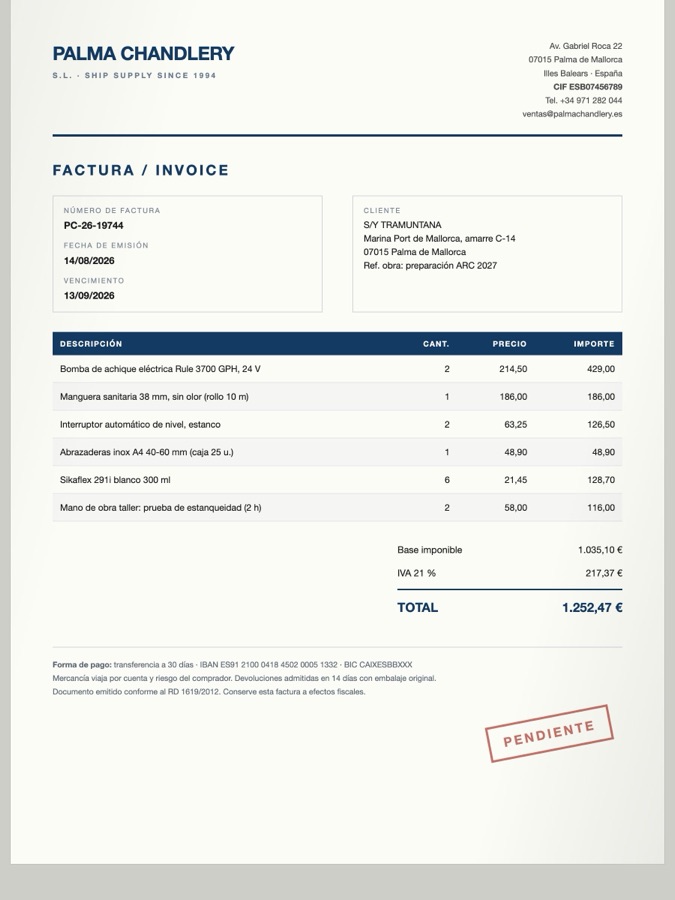
Receipt scanning
The supplier matched against your own list by tax number, the document number, both dates, the total and the VAT split. Nothing is saved until a person presses the button, and the photograph stays attached as the document.
Filled in from the photograph — and still waiting for a human.
Deliberately
NAUTICORE is the operational source of truth for spend, tracking, monitoring, and reporting. It ends exactly where your accountant begins — with a clean integration, rather than a second set of books to reconcile.
On watch, every hour
Every hour NAUTICORE re-reads the boat: what falls due, what the jobs will consume, what is already on board and on order. It prepares the paperwork — and leaves every decision with a person.
Replenishment
Jobs falling due in the next 45 days, the parts each one consumes, what is on board and what is already on order — the shortfall is worked out for you, plus anything below its own minimum.
Proactive work orders
From what is coming due by date, engine hours or miles, NAUTICORE drafts a preventive work order — tasks, categories and the reason for each one — ready for review.
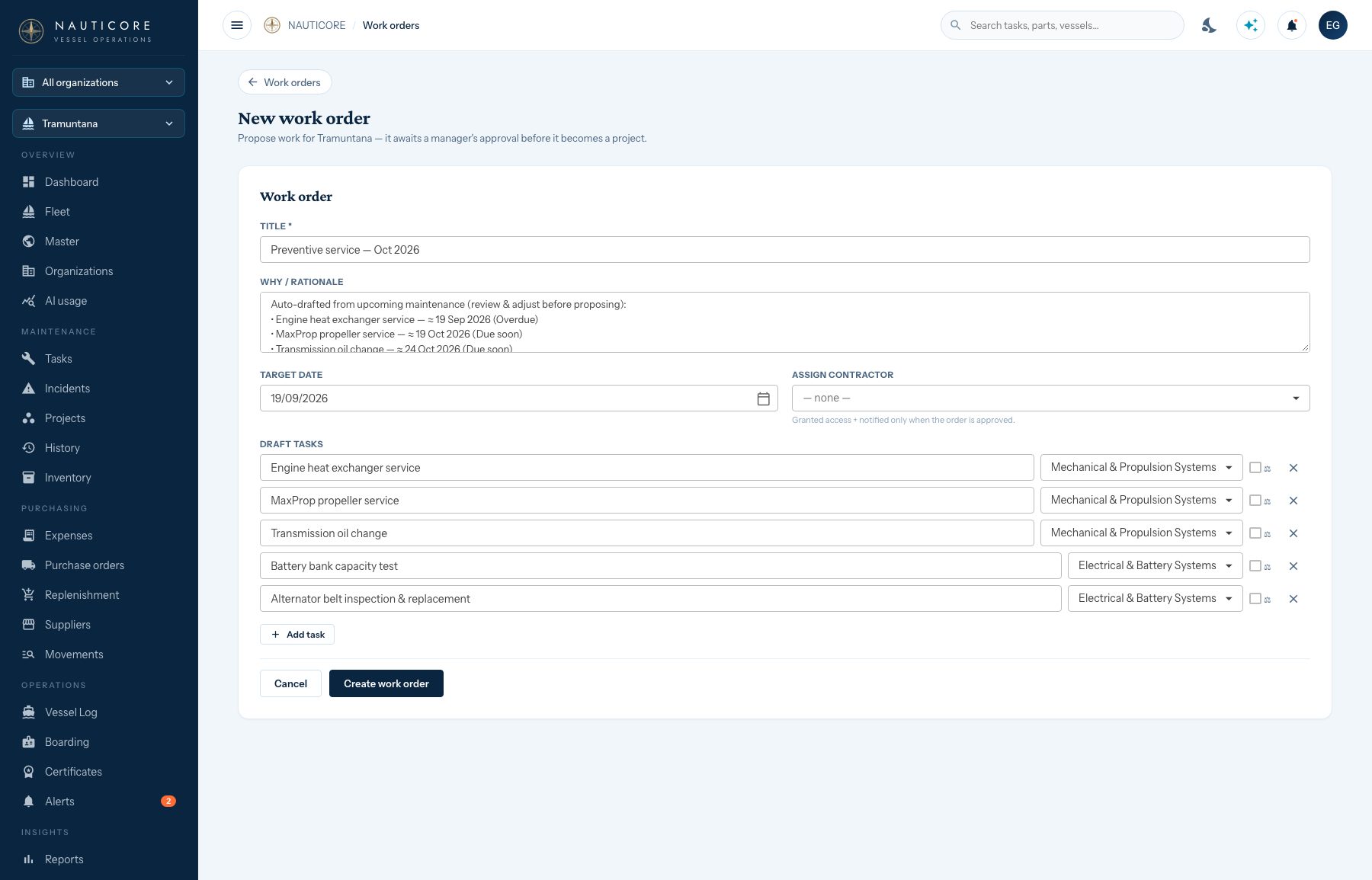
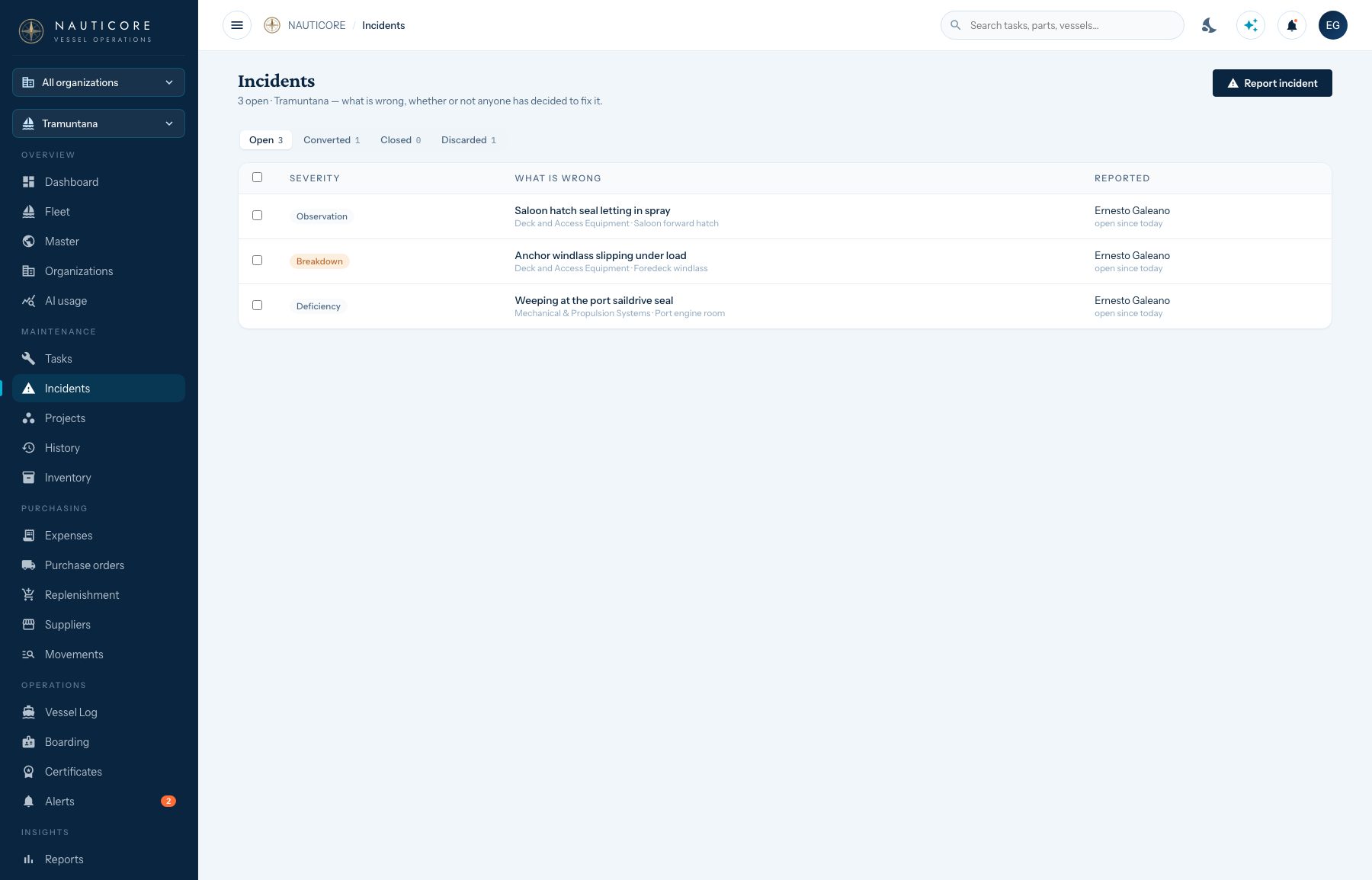
Incidents
A leak, a slipping windlass, a hatch letting in spray: photographed from the phone with a severity that means something. Most never become work — the ones that do are one tap away.
Nauticore Agent
“What’s overdue?” “What did we spend on the engine this year?” “Draft a work order for the saildrive service.” On the web and on the phone, answered from that person’s own data — and it drafts, a person approves.
Alerts & stock
Overdue and due-soon work, engine hours and miles, certificates about to expire and parts running below their minimum — raised every hour, cleared when they are dealt with.
Calendar & notices
Subscribe the maintenance schedule into Google or Apple Calendar. A daily brief by email, notices in the app and on Telegram — and every person mutes what they don’t need.

“Every job, every part, every invoice — made fast to the same record.”
Crew, contractors & owners
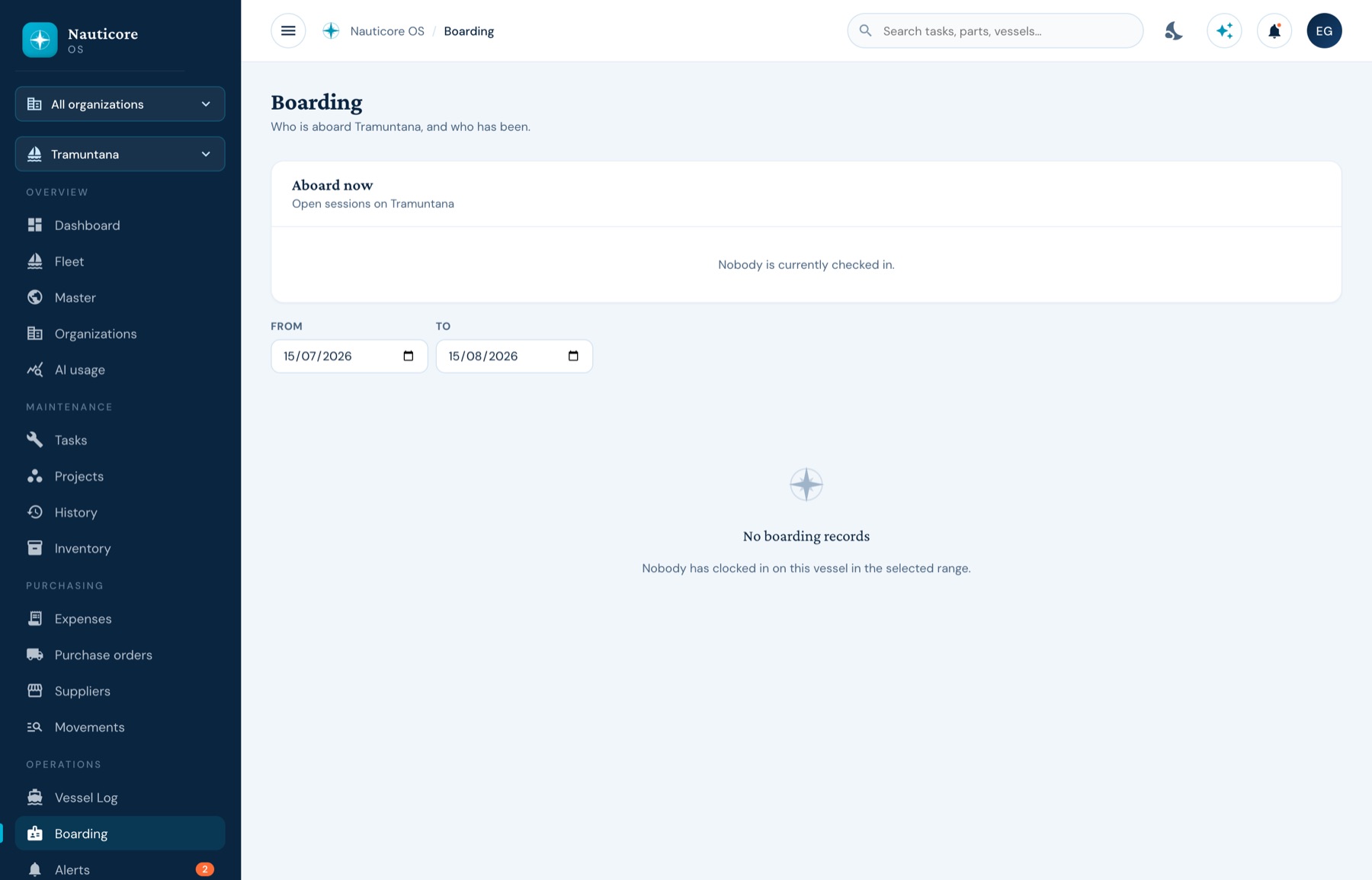
Plate I
Scan the QR in the cockpit to clock in and out.
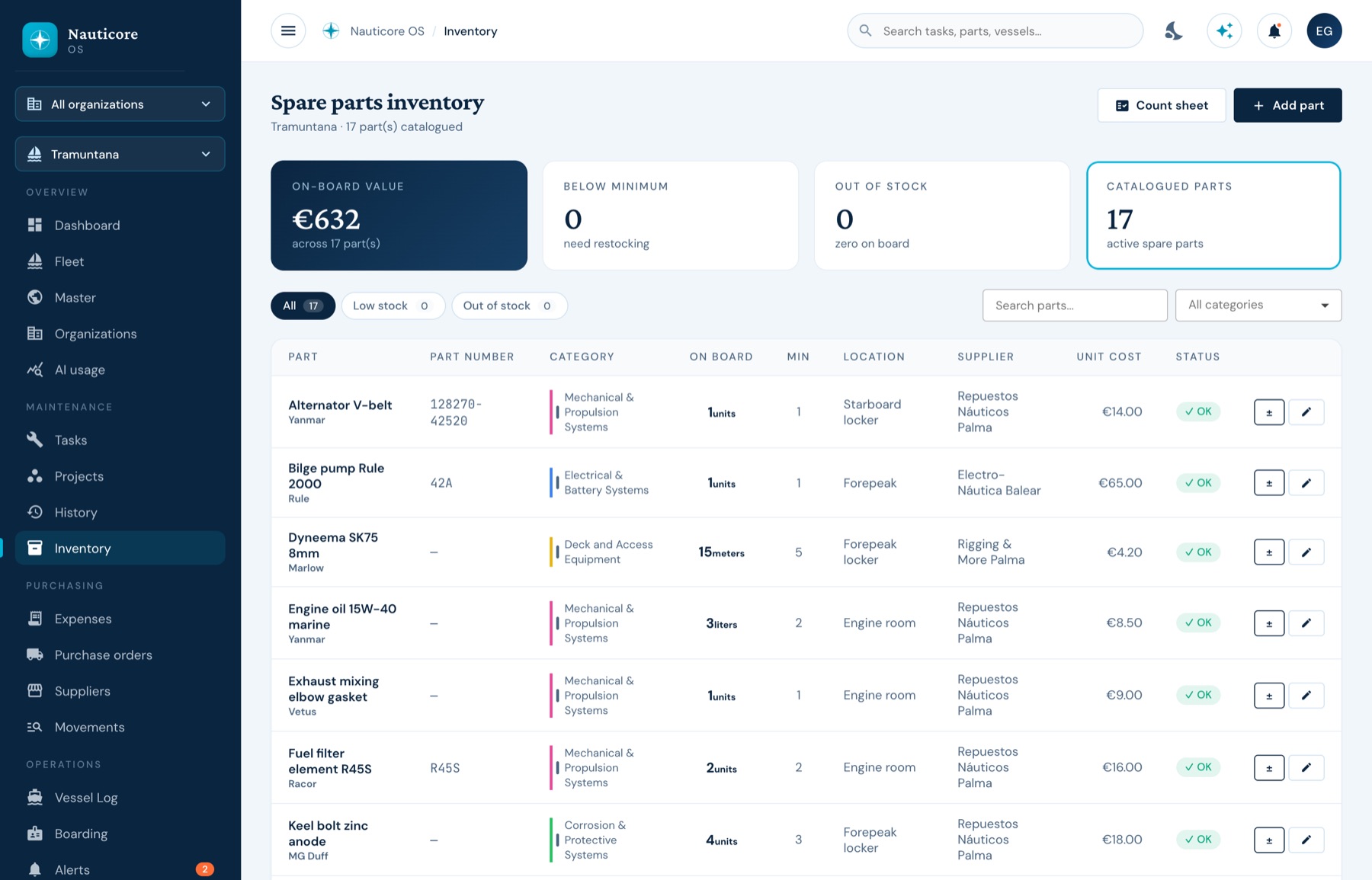
Plate II
Each task knows the parts it consumes, and completing it moves the stock. Scan a barcode to find a part.
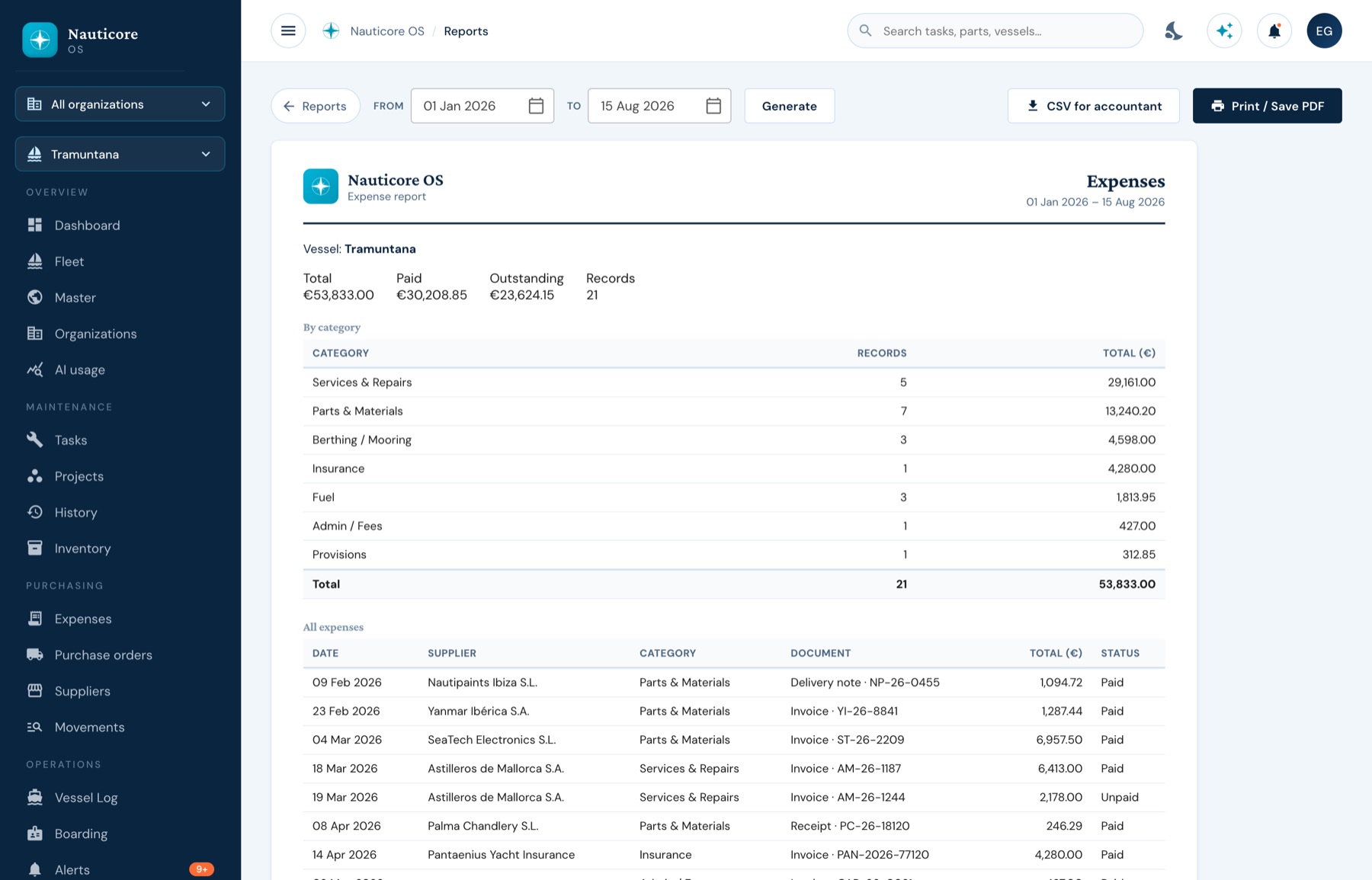
Plate III
Cost, compliance, logbook, inventory and project reports — branded and print-ready.
Aboard
From the pontoon, not from a desk. The native iOS and Android app keeps working offline and pushes what you did when the signal comes back.
The boring questions
Isolation
Every organisation’s vessels, suppliers and people are separated at the database, on every read and every write.
Location
Managed for you by default. A dedicated instance with full data sovereignty for those who need one.
Audit
A completed job stores the person who did the work and, separately, the account that logged it.
Exit
Exports are built in, and a vessel’s record can be shared with a buyer or surveyor through an expiring link.
Before you ask
Yes, and it is the part we take most seriously. Bringing an existing service record across is part of onboarding — it is what makes the vessel’s file worth something in week one, and what a buyer or surveyor wants to see when she sells. Bring the binder to the demo.
It prepares; people decide. The hourly agent drafts purchase orders and preventive work orders, raises alerts and keeps the schedule current — but nothing is sent to a supplier, approved or deleted without a person pressing the button. The Nauticore Agent answers from your own data, redacted exactly as your account is, and can draft a work order for you to review.
No, deliberately. No double-entry, no payroll, no bank reconciliation. NAUTICORE is the operational record of what was bought and for which boat, and integrates with your accounting system.
Only what you grant. A contractor assigned to one project sees that project’s jobs and parts — no logbook, no financials, no other vessels.
The mobile app keeps working. Jobs, photos, stock adjustments and passages queue on the device and push when the signal returns.
A demo first — half an hour, your questions, on a real vessel’s data rather than a slide deck. If it fits, we set up your organisation, bring your vessels and history across, and you are running. We onboard by hand, which is a deliberate limit on how fast we take clients on.
A team of working captains alongside engineers. NAUTICORE has been in daily use on real vessels since early 2026; every feature exists because a boat needed it. More about the team.

Come aboard
No slide deck. We open a working vessel, you ask the awkward questions, and you decide whether it is worth moving your fleet onto.
You’re on the list. We’ll write when there’s something worth reading.
Not ready for a call? Leave an address and we’ll write when there’s something worth reading.